
If you’re running a startup or small business, keeping your finances organized can quickly become overwhelming. Spreadsheets break, invoices get missed, and tracking cash flow becomes a daily headache. That’s where Xero comes in. In this blog, I’ll break down what Xero does, who it’s best for, and why it’s one of the most trusted accounting tools for startups and growing businesses in 2025. Let’s get into it.
What is Xero?
Xero is a cloud-based accounting software designed for small businesses, startups, freelancers, and growing companies. Unlike traditional desktop accounting tools, Xero works entirely online, allowing you to manage your finances from anywhere, on any device.
At its core, Xero helps you track income and expenses, send professional invoices, reconcile bank transactions automatically, manage payroll (in supported regions), and stay compliant with taxes. It connects directly to your bank accounts, pulling in transactions in real time so you always know where your money stands.
Xero is widely used across industries and is especially popular with founders who want powerful accounting without the complexity of enterprise finance tools.
Key Features and Benefits
Smart Invoicing and Payments
Xero lets you create and send professional invoices in minutes. You can customize invoices with your branding, set due dates, and automate reminders for late payments.
You can also:
• Accept online payments directly from invoices
• Set up recurring invoices for retainers or subscriptions
• Track invoice status (sent, viewed, paid, overdue)
This makes it easier to get paid faster and maintain steady cash flow.
Automatic Bank Reconciliation
One of Xero’s strongest features is its bank reconciliation. Once connected to your bank, Xero automatically imports transactions and matches them with your invoices and expenses.
You can:
• Reconcile transactions in seconds
• Create rules for recurring expenses
• Reduce manual data entry errors
This saves hours every month and keeps your books accurate.
Expense Tracking and Receipts
Xero makes it easy to track business expenses. You can upload receipts, assign expenses to categories, and link them to transactions.
Team members can also submit expenses for approval, which is especially useful if you’re managing a growing team or multiple departments.
Financial Reporting and Insights
Xero gives you access to real-time financial reports, including:
- Profit and loss statements
- Balance sheets
- Cash flow summaries
- Tax reports
These insights help you understand your business performance and make better financial decisions without needing an accountant at every step.
Who Is Xero Best For?
Startups and Small Businesses
Xero is ideal for early-stage startups that want a scalable accounting solution from day one. It grows with your business as your needs expand.
Freelancers and Consultants
If you invoice clients regularly and want to track expenses easily, Xero simplifies everything in one place.
Agencies and Service-Based Businesses
With recurring invoices, expense tracking, and team access, Xero works well for agencies managing multiple clients and projects.
Businesses Working With Accountants
Xero is accountant-friendly. You can give your accountant secure access so they can review your books without endless email back-and-forth.
Pricing Breakdown
Xero offers tiered pricing based on business needs:
- Starter Plan: Basic invoicing, bills, and bank reconciliation
- Standard Plan: Unlimited invoicing and bills, bulk transaction reconciliation
- Premium Plan: Multi-currency support and advanced features
Pricing varies by region, but plans are typically billed monthly with no long-term contracts. You can start with a free trial to test the platform before committing.
Platform Walkthrough Highlights
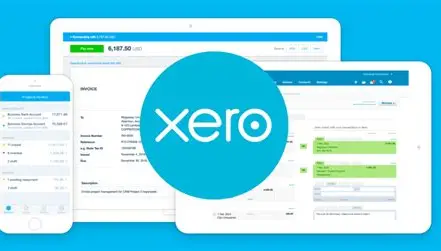
Inside the Xero dashboard, you’ll find:
- Dashboard View for cash flow and bank balances
- Invoices to create, send, and track payments
- Bills to manage expenses and supplier payments
- Banking for reconciliation and transaction rules
- Reports for financial insights
- Contacts for customers and suppliers
- Integrations with tools like Stripe, PayPal, Airwallex, Shopify, and more
The interface is clean, modern, and beginner-friendly.
Pros and Cons
Pros:
- Easy to use, even for non-accountants
- Real-time bank reconciliation
- Strong invoicing and reporting tools
- Cloud-based with mobile access
- Integrates with hundreds of business apps
- Secure and reliable
Cons:
- No free plan (trial only)
- Payroll not available in all countries
- Limited customization for advanced accounting needs
- May feel expensive for very small businesses
Final Thoughts: Is Xero Worth It?
If you’re serious about running a professional, organized business, Xero is absolutely worth considering in 2025. It removes the stress from accounting, gives you real-time financial visibility, and saves countless hours on manual bookkeeping.
While it may not replace a full-time accountant for complex businesses, it’s one of the best tools available for managing everyday finances. For startups, freelancers, agencies, and growing companies, Xero offers the perfect balance between power and simplicity.
If you want to stay in control of your numbers and make smarter business decisions, Xero is a strong investment.