
If your monthly software bill keeps creeping up, you are not alone. Most business owners pay for five to ten different tools without even realizing it. Design apps, screen recorders, cleaners, productivity tools, file managers. It adds up fast.
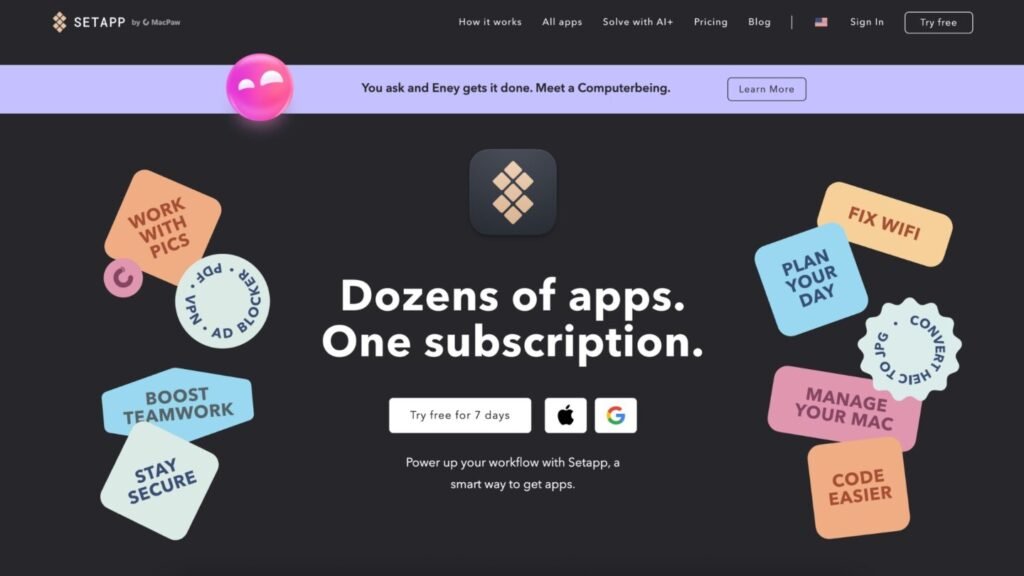
Setapp flips that model. Instead of paying for each app one by one, you get access to a full library of premium apps for a single monthly price. In 2025, that can mean real savings and a simpler workflow for your business.
This guide breaks down what Setapp is, how it replaces tools you already pay for, how pricing works, and whether it is worth it for your business.
What Is Setapp?
Setapp is a subscription service that gives you access to a curated collection of high-quality Mac and iOS apps under one membership. Instead of buying apps individually, you install and use as many as you want from the Setapp library.
For entrepreneurs, this means three big things:
- Simplify your tool kit. Fewer logins, fewer renewals, fewer scattered purchases.
- Cut your software bills. One subscription replaces many paid apps.
- Stop second guessing app purchases. You can test new tools freely without wasting money.
If you run your business on a Mac, Setapp turns your computer into a fully stocked business workspace.
Key Features of Setapp
Setapp stands out because of how the apps are selected and maintained.
- Wide variety of apps. You get tools for design, productivity, cleaning, screen recording, writing, file management, and more.
- Curated library. These are not random apps. Setapp reviews and selects quality tools only.
- Cross-device use. Many apps work across Mac and iOS on the same plan.
- Updates included. You never pay for upgrades or new versions. Everything stays current.
This is what makes Setapp different from a simple bundle. It is managed like a premium app ecosystem.
How to Use the Setapp Dashboard
Once you join, everything runs through the Setapp app on your Mac.
Here is how most users start:
- Download the Setapp app and sign in.
- Browse by category such as Productivity, Maintenance, Developer, or Creativity.
- Click install on any app you want. No extra payment.
- Use the app just like a normal full-premium version.
- Remove or add apps anytime with one click.
There are no trial limits on individual apps. Once you are a member, everything in the library is fully unlocked.
How Setapp Replaces System Cleaners
One of the easiest ways Setapp saves money is by replacing system utility tools.
Most people pay separately for:
- Mac cleaners
- Cache managers
- Uninstallers
- Performance boosters
Setapp includes these inside the membership. Instead of buying a cleaner once a year, you just use it as part of your subscription.
How to Use CleanMyMac Inside Setapp
CleanMyMac is one of the most popular apps inside Setapp. On its own, this app often costs a large one-time fee or requires upgrades. With Setapp, it is included.
Here is how business owners use it:
- Clear junk files to free up storage.
- Remove leftover files from deleted apps.
- Scan for malware and threats.
- Monitor system performance.
- Speed up older Macs that feel slow.
This alone can replace a paid system tool many people already buy separately.
Productivity and Focus Apps Inside Setapp
Setapp is not just about cleaning your Mac. It also replaces many productivity and focus tools.
You will find apps for:
- Task management
- Distraction blocking
- Writing and note taking
- File organization
- Presentation tools
Instead of paying for multiple subscriptions, you can mix and match what fits your workflow.
How to Use the Session App for Focus and Time Management
Session is a simple but powerful focus tool included in Setapp. You can use it to:
- Block distracting apps and websites
- Set timed work sessions
- Track how long you stay focused on tasks
- Build daily deep work habits
For business owners who struggle with context switching, this tool alone can noticeably increase output.
How to Organize Projects with Setapp Apps
Many entrepreneurs juggle clients, content, and internal tasks at the same time. Setapp includes tools that help with:
- File naming and version control
- Quick document previews
- Clipboard managers
- Note syncing across devices
Instead of hunting for files or redoing lost work, your system stays organized automatically.
How to Use the Workspaces App in Setapp
Workspaces is a hidden gem inside Setapp. It lets you group apps, files, and websites into one click work environments.
Example:
- One workspace for content creation
- One for client work
- One for admin and finance
With one click, everything you need for that type of work opens at once. This saves time and reduces friction in your day.
Screen Recording and Communication Tools in Setapp
Setapp also replaces many paid communication tools. This is huge for teams, consultants, and content creators.
You get access to:
- Screen recorders
- Screenshot annotation tools
- File sharing utilities
- Video capture tools
How to Use CleanShot for Screen Recording
CleanShot is one of the most powerful screen capture apps on Mac, and it is included in Setapp.
You can use it to:
- Record your screen for tutorials or client walkthroughs
- Capture scrolling screenshots
- Add annotations to images
- Instantly upload and share
If you create content, train clients, or work remotely, this alone can replace multiple paid tools.
Setapp Pricing Explained
Setapp pricing is simple and predictable.
As of 2025, plans are structured like this:
- Mac plan for one Mac
- Mac and iOS plan for one Mac plus multiple iOS devices
- Power user plan for teams or users with multiple Macs
You pay one monthly fee and get full access to the entire library. There are no per-app charges, no upgrade fees, and no surprise renewals for individual tools.
Compared to paying for five to ten separate apps, most business owners break even very quickly.
Pros and Cons of Using Setapp
Pros
- Saves money by replacing many paid tools
- Wide variety of quality apps across business categories
- Always updated with the latest versions
- Try new tools at no extra cost without buyer’s regret
- One bill instead of many subscriptions
Cons
- You may pay for apps you never use
- It can feel like double paying if you already own some apps outright
- Mac and iOS only which limits Windows users
Is Setapp Worth It for Your Business?
Setapp is worth it if:
- You already pay for two or more Mac apps
- You like testing new tools without risk
- You want a cleaner, simpler software stack
- You create content, manage clients, or run operations from your Mac
It may not be worth it if:
- You only use one paid app total
- You run your business on Windows
- You already own lifetime licenses for everything you need
For most digital entrepreneurs, creators, and agencies, Setapp usually pays for itself within the first month.
Final Thoughts
Setapp is one of those tools that looks simple at first, but quickly becomes a core part of how you run your business. Instead of juggling ten different subscriptions, you get one clean system that covers maintenance, productivity, communication, and creative work in one place.
In 2025, saving money is not just about cutting costs. It is about removing friction from your workflow. Setapp does both. It helps you work faster while spending less on software every month.
If you care about running a lean, efficient business, Setapp is an easy upgrade. It replaces many of the tools you already pay for, keeps everything updated automatically, and lets you test new apps without risking your budget.
If your Mac is your main work machine, Setapp can turn it into a fully loaded business hub with one predictable monthly payment instead of a stack of separate app bills.